

v0.1.0: run it without building it
The first release of TachyonCMS is out, with binaries for Linux and macOS and a signed Docker image. Trying it no longer starts with a Rust toolchain.
Until today, trying TachyonCMS meant installing Rust, cloning the repo and waiting on cargo run. That’s a lot to ask of someone who only wants to see whether the thing is any good.
So v0.1.0 skips that part. It’s the first release: a headless CMS in one Rust binary, backed by one Postgres database, with an API generated from the content types you define. You download it, or you pull it, and you run it.
First, the honest bit
It’s pre-alpha. The content API, sign-in and access rules work. The admin screen, rich text, drafts and media don’t exist yet, which is why I’m asking you to keep it off public networks for now. Run it on your laptop, poke at it, break it, and tell me where.
Get it running
Got Docker? This starts Postgres and TachyonCMS side by side:
docker network create tachyon
docker run -d --name tachyon-db --network tachyon \
  -e POSTGRES_USER=tachyon -e POSTGRES_PASSWORD=tachyon -e POSTGRES_DB=tachyon \
  postgres:17
docker run --rm --network tachyon -p 127.0.0.1:3000:3000 \
  -e TACHYON_DATABASE_URL=postgres://tachyon:tachyon@tachyon-db:5432/tachyon \
  -e TACHYON_PUBLIC_URL=http://localhost:3000 \
  ghcr.io/tachyon-cms/tachyoncms:v0.1.0
Rather have a plain binary? The release page has archives for Linux on x86_64 and arm64 (both static) and for macOS on Intel and Apple silicon. Unpack one and point it at any Postgres you have:
tar xzf tachyon_0.1.0_*.tar.gz
TACHYON_DATABASE_URL=postgres://user:pass@localhost:5432/tachyon ./tachyon_0.1.0_*/tachyon serve
Either way it listens on port 3000, and nothing can be changed until someone runs setup. That call works exactly once. It creates the first Admin, and after that it refuses:
curl -X POST localhost:3000/api/setup \
  -H 'content-type: application/json' \
  -d '{"email": "[email protected]", "name": "You", "password": "a long passphrase you will remember"}'
From there the README takes you through signing in, making a content type and reading it back.
What you get
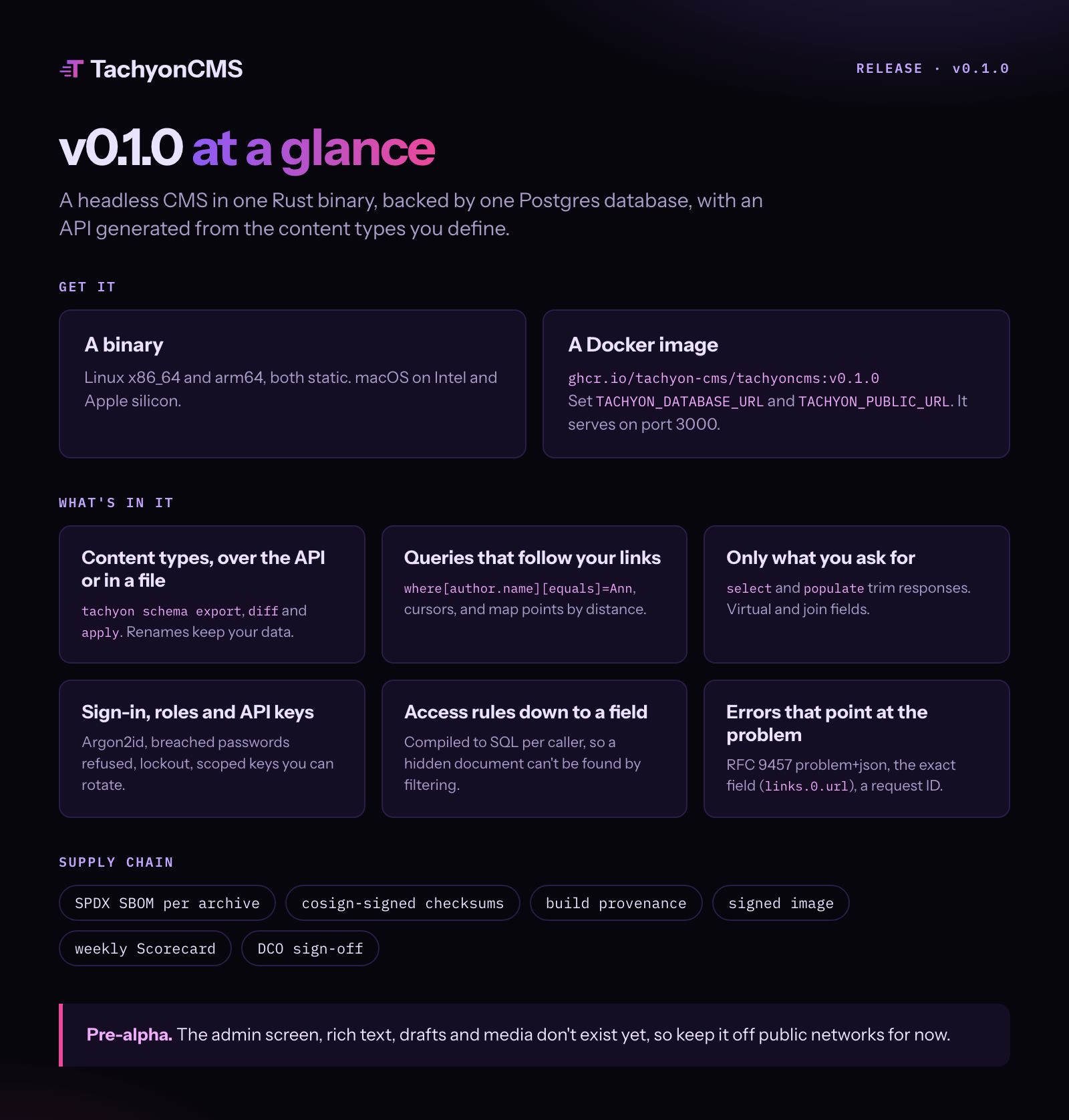
Content types come in over the API or from a file. Collections and globals, with text, number, date, email, URL, select, radio, slug, code, JSON and map-point fields, plus relationships, groups, arrays, rows, collapsible sections and tabs. tachyon schema export, diff and apply keep the lot in version control, and when you rename a field, the data comes with it.
Queries reach as far as your content does. Filter through a relationship with where[author.name][equals]=Ann, or into list rows. Sort, page with cursors, and find map points by distance. Linked documents come back populated to whatever depth you allow, and select and populate trim each response down to what you asked for. Virtual fields show a linked value without storing it; join fields list the documents that point at this one.
Then there’s who gets to see what. Sign in with a session or a bearer token. Passwords are hashed with Argon2id and checked against known breaches, repeated failures lock the account, and API keys are scoped and can be rotated. Admin, Editor, Author and Viewer come built in, and you can add your own roles.
Access rules go down to a single field: published posts for everyone, drafts for their authors, a salary field for HR. They compile to SQL for each caller, so filtering for a hidden document won’t find it. And GET /api/access tells each caller what they’re allowed to do.
When something’s wrong, you’ll know where. Every error is RFC 9457 problem+json, names the exact field (seo.title, links.0.url) and carries a request ID you can find in the logs.
Why you can trust the download
You’re running a binary from a project you met five minutes ago. Fair enough to ask what’s in it.
Every binary records its own dependency tree, and each archive comes with an SPDX SBOM. The checksums are signed with cosign, the archives and the image carry build provenance, and the image itself is signed. OpenSSF Scorecard checks the repo every week, and every commit is signed off under the DCO. Checking a download takes two commands:
cosign verify-blob \
  --certificate-identity 'https://github.com/tachyon-cms/tachyoncms/.github/workflows/release.yml@refs/heads/main' \
  --certificate-oidc-issuer https://token.actions.githubusercontent.com \
  --bundle checksums.txt.sigstore.json checksums.txt
sha256sum --check --ignore-missing checksums.txt
Thank you, and what’s next
To everyone who starred, watched and opened the repo before there was anything to download: thank you. You turned up for a README.
There are ten issues ready for a first contribution, and the next release notes have room for your name. As for what that next release holds, and why it comes in the order it does, I’ve written it up in Where TachyonCMS is headed.